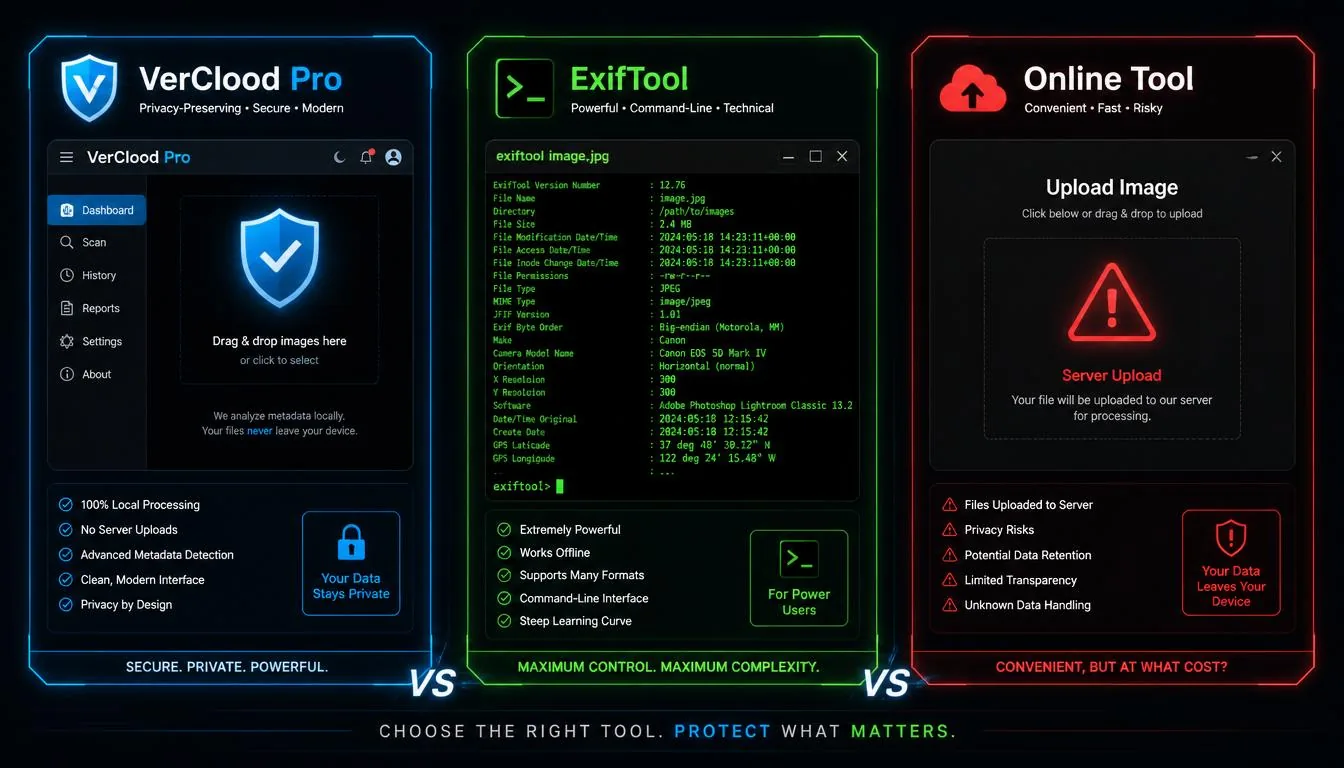
If you've decided to start protecting your photo privacy in 2026, the next question is immediately: which tool? A quick search reveals three broad categories: browser-based apps like VerClood Pro, command-line tools like ExifTool, and online services that ask you to upload your files. They're not equal — and the differences matter, especially when privacy is the goal.
This comparison is written by the VerClood Pro team, so we'll be upfront: we think our tool is the best choice for most people. But we'll also tell you exactly when ExifTool is the better option, and why you should almost always avoid upload-based online services for anything sensitive.
The Three Approaches
Before comparing specific tools, it's worth understanding the fundamental architectural difference:
- Browser-based, client-side (VerClood Pro) — JavaScript runs entirely in your browser. Files never leave your device. Works offline after first load.
- Local command-line (ExifTool) — Installed software that runs on your computer. Maximum power and format support. Requires terminal comfort.
- Upload-based online services — You send your file to their servers, they process it, you download the result. Convenient but fundamentally incompatible with privacy goals.
1. VerClood Pro
- Zero uploads — maximum privacy
- Works offline (PWA)
- GPS spoofing with interactive map
- Batch processing (Web Worker)
- ELA forensics analysis included
- Watermarking with live preview
- Privacy Score (0–10 gauge)
- IPTC and XMP deep scan
- HEIC (iPhone) support
- Free, no account needed
- Limited to 4 file formats
- No RAW camera file support
- No video metadata support
- Requires modern browser
2. ExifTool
ExifTool is the industry standard for metadata manipulation. It handles RAW files (CR2, NEF, ARW, DNG), video files, PDFs, audio, and virtually every other file format. Photographers, journalists, digital forensics professionals, and developers all use it. The learning curve is real, but the power is unmatched.
# Remove all metadata from a single file
exiftool -all= photo.jpg

# Strip GPS only, keep everything else
exiftool -gps:all= photo.jpg

# Process 500 files at once
exiftool -all= *.jpg

# Verify what's left
exiftool photo.jpg- Supports 1000+ file formats
- RAW, video, audio, PDF support
- Scriptable and automatable
- Granular field-level control
- Free and open-source
- Cross-platform (Win/Mac/Linux)
- Command-line only (no GUI)
- Steep learning curve
- Must be installed
- No visual feedback or preview
- No GPS spoofing or watermarking
3. Upload-Based Online Tools
- No installation required
- Works on any device
- Usually has a simple UI
- Files uploaded to 3rd-party servers
- Privacy policy varies wildly
- File size limits (often 10–50 MB)
- Requires internet connection
- Usually only strips, never spoof
- No forensics, no watermarking
Master Comparison Table
| Feature | VerClood Pro | ExifTool | Online Tools |
|---|---|---|---|
| Files stay on your device | ✅ Always | ✅ Always | ❌ Never |
| Installation required | ❌ No | ⚠️ Yes | ❌ No |
| Works offline | ✅ Yes (PWA) | ✅ Yes | ❌ No |
| RAW file support | ❌ No | ✅ Yes | ⚠️ Some |
| GPS Spoofing | ✅ Yes (map UI) | ⚠️ Manual | ❌ No |
| Watermarking | ✅ Yes | ❌ No | ⚠️ Some |
| ELA Forensics | ✅ Yes | ❌ No | ❌ No |
| Batch processing | ✅ Yes | ✅ Yes | ⚠️ Limited |
| HEIC (iPhone) support | ✅ Yes | ✅ Yes | ⚠️ Some |
| Privacy Score report | ✅ Yes | ❌ No | ❌ No |
| IPTC + XMP scan | ✅ Yes | ✅ Yes | ❌ No |
| Free to use | ✅ Always | ✅ Yes | ⚠️ Usually (ads) |
| Mobile-friendly | ✅ Yes (PWA) | ❌ No | ⚠️ Usually |
The Verdict: Which Tool for Which User?
🛡️ Try VerClood Pro Right Now
Free, no registration, works in your browser. Your files never leave your device.
Open VerClood Pro →For a complete workflow, also read our complete EXIF removal guide and our 2026 Photo Privacy Checklist.