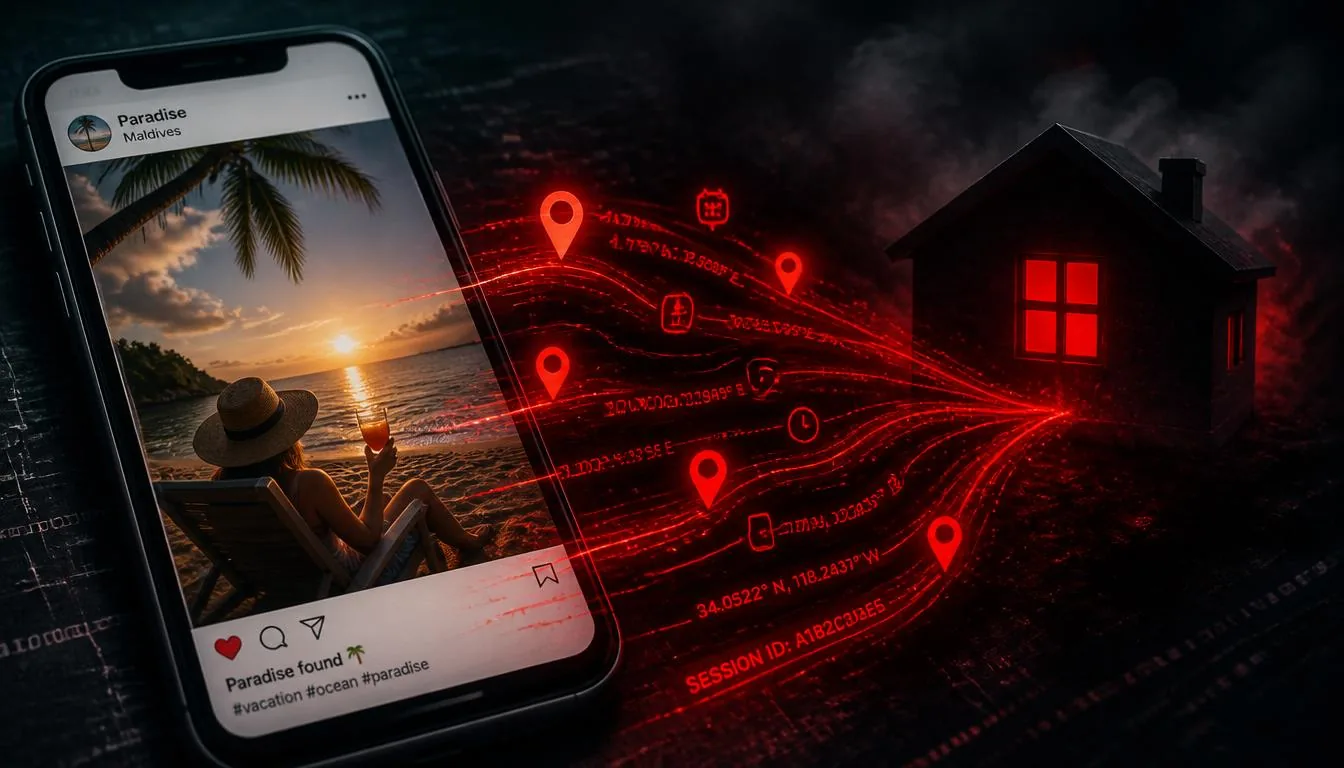
Imagine this: you return from a two-week holiday in Greece. You post a photo of the sunset from your hotel balcony — beautiful, innocent, public. What you don't realize is that the EXIF metadata embedded in that photo also contains the exact GPS coordinates of your hotel room's location, down to roughly 5 metres.
Now imagine you'd posted a different photo — one taken at home the week before, showing your new puppy in the garden. Same situation: GPS coordinates, clearly pointing to your house. Together, these two photos just told the world: "This person was away from home from this date to this date, and here is their address."
This isn't a hypothetical scenario designed to scare you. It is a documented, repeatable attack that has been used against domestic abuse victims, whistleblowers, celebrities, and ordinary people alike.
How GPS Coordinates End Up In Your Photos
Every smartphone manufactured since roughly 2010 has GPS capability built in. When you take a photo, the phone's camera app checks whether location access has been granted — and if it has, it writes the current GPS fix directly into the photo file as EXIF metadata. This happens silently, automatically, every single time.
The process takes milliseconds and requires no action from you. You don't see a prompt. There's no indicator that it's happening. The resulting JPEG looks identical to one without GPS data. The only difference is in the file's hidden metadata layer.
What the GPS record actually contains
- GPSLatitude — latitude coordinate as degrees, minutes, seconds
- GPSLongitude — longitude coordinate
- GPSLatitudeRef — N or S hemisphere
- GPSLongitudeRef — E or W hemisphere
- GPSAltitude — height above sea level (can reveal floors in a building)
- GPSTimeStamp — UTC time of the GPS fix
- GPSImgDirection — direction the camera was pointing (in some devices)
Enter those coordinates into Google Maps or OpenStreetMap and you get a precise pin on the map. The accuracy is typically within 5–15 metres in open areas, improving to sub-5 metre accuracy in modern flagship phones with A-GPS and GLONASS support.
What Someone With Your GPS Data Can Do
The threat model varies by attacker and context. Here are four realistic scenarios:
It's Not Just About Public Posts
Many people assume that sharing photos privately — via WhatsApp, Signal, or direct message — is safe. The picture is more nuanced:
- WhatsApp compresses photos by default and strips metadata. But "View Once" photos and "original quality" shares may preserve EXIF.
- Signal strips metadata from media by default — one of the reasons privacy advocates recommend it.
- Telegram does not strip metadata from files sent as documents (as opposed to photos). Many users send images as documents to avoid compression, inadvertently preserving all metadata.
- Email — never strips metadata. A photo attached to a Gmail, Outlook, or any email arrives at the recipient with all EXIF intact.
- iCloud / Google Photos shared albums — share the original file, full metadata included.
The Specific Danger of Vacation Photos
Holiday photos carry an additional risk beyond simple location exposure: they announce that you are away from home.
When you post a photo geotagged to a resort in Mykonos while your home photos from the previous week are geotagged to your address in London, you've created a digital burglary invitation. This information has been used in targeted property crimes in several documented cases across Europe and North America.
Beyond property crime, vacation photos present social engineering opportunities: knowing someone is on holiday allows impersonation attempts ("Hi, I'm stranded abroad and need urgent help"), phishing attacks timed to when you're distracted, and a range of other socially-engineered attacks.
How to Protect Yourself
Option 1: Disable GPS tagging at the source
iPhone: Settings → Privacy & Security → Location Services → Camera → Never
Android: Open Camera app → Settings → Location tags → Off
This prevents new photos from getting GPS tags, but does nothing for the thousands already on your device.
Option 2: Strip metadata before sharing (recommended)
Use VerClood Pro to remove GPS and all other metadata from photos before you share them. The process takes seconds, works on your device without any uploads, and supports JPG, PNG, HEIC, and WEBP files.
Option 3: Post delayed
Consider posting vacation photos only after you've returned home. This eliminates the "away from home" signal even if some metadata slips through.
🛡️ Strip GPS from Your Photos Now
VerClood Pro removes GPS coordinates and all EXIF metadata in your browser — no uploads, no registration, completely free.
Open VerClood Pro →Frequently Asked Questions
The Bottom Line
GPS metadata in photos is one of those rare threats that is both universally present (every smartphone creates it automatically) and almost entirely invisible (you can't see it when looking at a photo). That combination makes it particularly dangerous.
The fix is simple, free, and takes under a minute. Before sharing any photo — holiday or otherwise — use VerClood Pro to strip its metadata. Make it a habit in 2026.
For a complete approach to photo privacy, see our 12-step Photo Privacy Checklist and our guide on How to Remove EXIF Data from Photos.